When you upload a document to an AI assistant, where does it actually go? We used the browser's Network Inspector to record exactly what three popular tools do with your files—and the difference is striking.
The Test
We uploaded the same receipt image to three different tools with the prompt "Help me analyse this receipt" and recorded the network activity using Chrome DevTools with the Fetch/XHR filter enabled. This filter shows only data requests, excluding scripts and stylesheets.
How We Tested
The Results
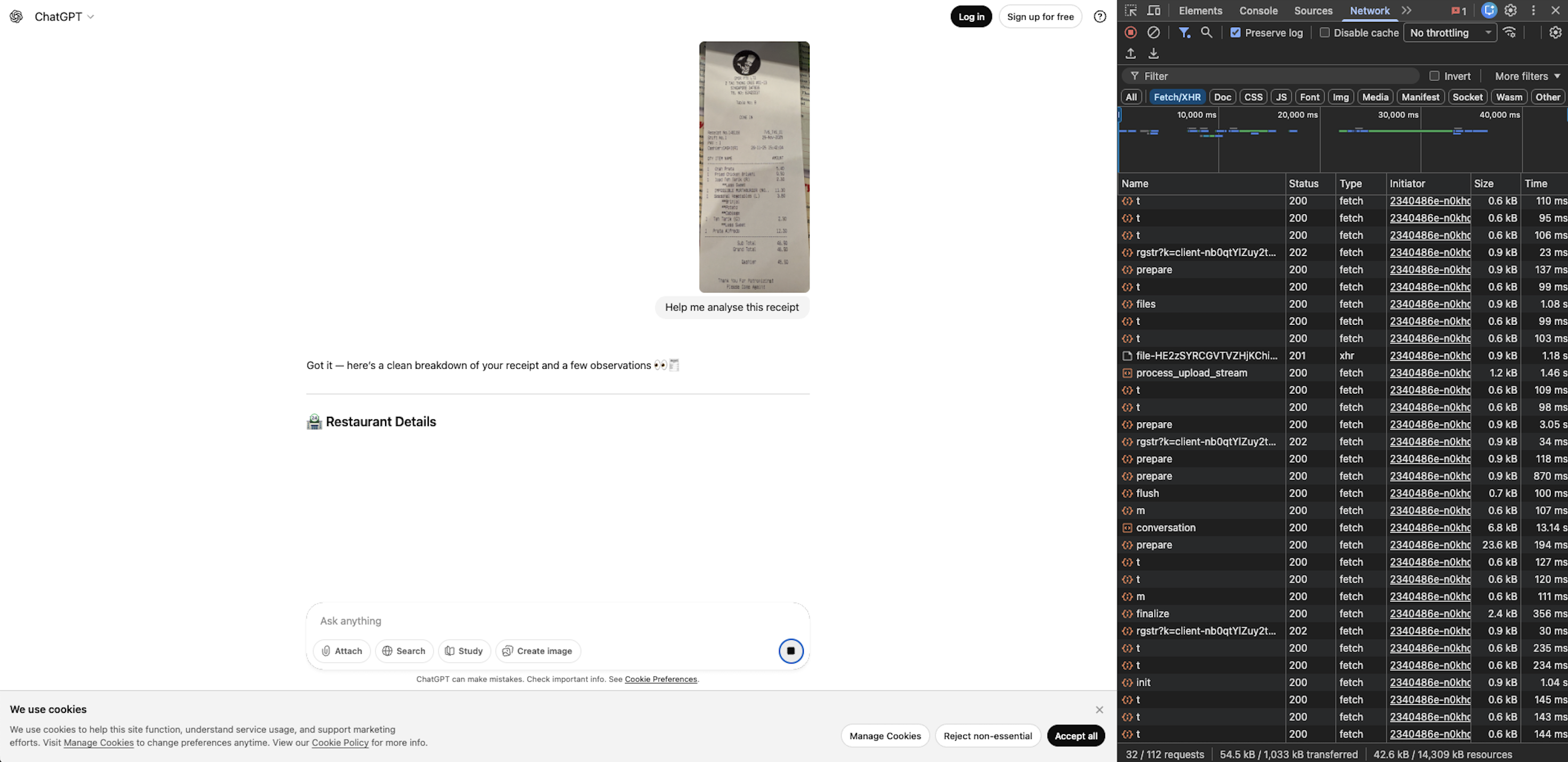
process_upload_stream and finalize endpoints visible—your file transmitted to OpenAI servers
files and conversation requests show server-side storage and AI processing
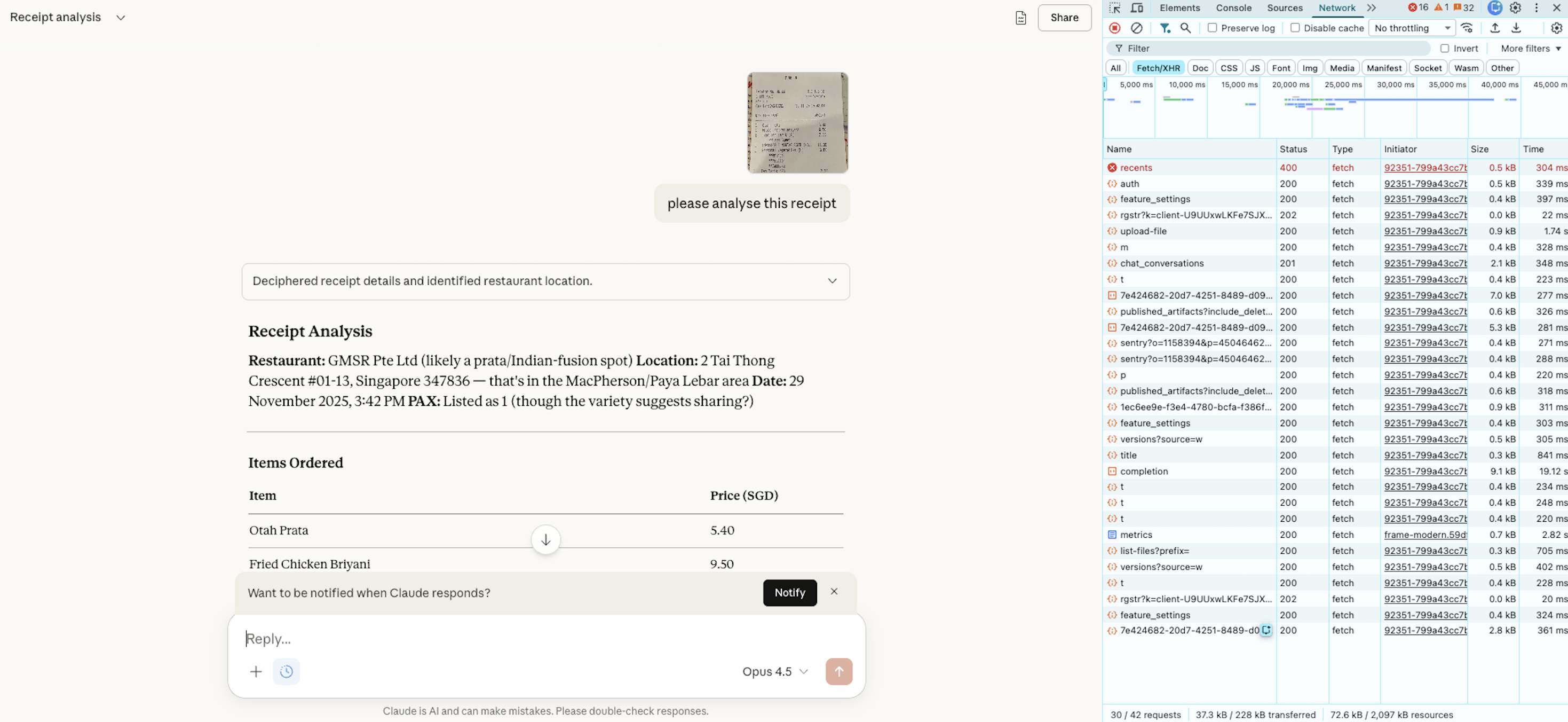
upload-file endpoint clearly visible—your file transmitted to Anthropic servers
chat_conversations and completion requests show server-side AI processing
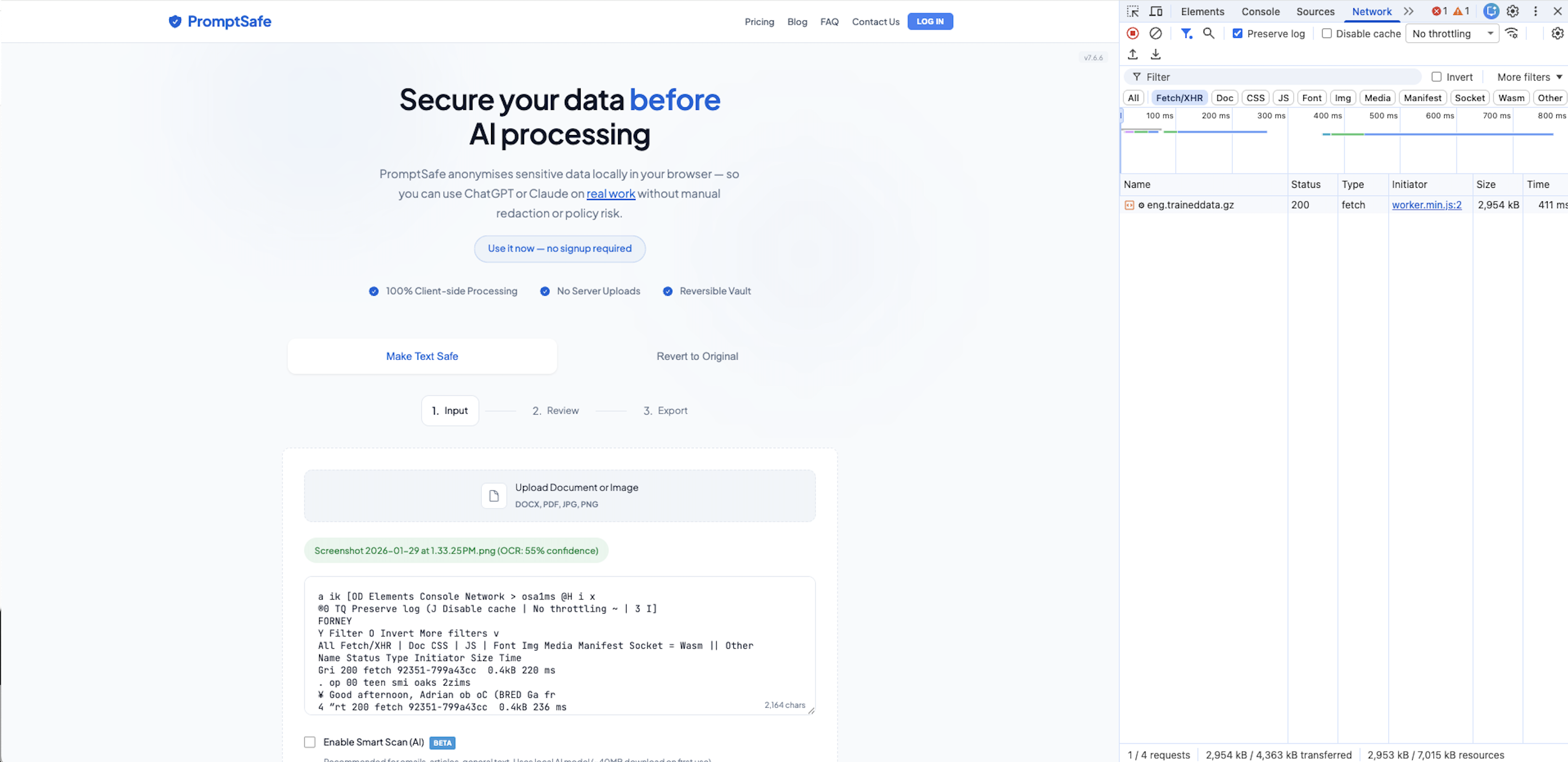
eng.traineddata.gz file (2.9 MB) is Tesseract's OCR model—it runs locally in your browser
Summary Comparison
| Metric | ChatGPT | Claude | PromptSafe |
|---|---|---|---|
| Fetch/XHR requests on upload | 32+ | 30+ | 0 uploads |
| File sent to servers | Yes | Yes | No |
| Works offline | No | No | Yes |
| Data flow direction | Your data → their servers | Your data → their servers | AI model → your browser |
| Processing location | OpenAI servers | Anthropic servers | Your browser |
Why This Matters
ChatGPT and Claude are incredibly powerful AI assistants—we use them ourselves. But when you upload a document to these services, that document travels to their servers, where it's processed and potentially stored according to their data policies.
For many use cases, that's perfectly fine. But for sensitive documents—client contracts, internal reports, confidential HR files, medical records—you might prefer a tool that never sends your data anywhere.
PromptSafe processes documents entirely in your browser using JavaScript and a local AI model that downloads once (~40MB) and runs on your device. Your files never leave your computer—a claim you can verify yourself in under 30 seconds.
A Note on Cloud AI Security
We want to be clear: this isn't an attack on ChatGPT or Claude's security practices. Both OpenAI and Anthropic have enterprise-grade security and clear data policies. The question isn't whether they handle your data responsibly—it's whether you want your data handled by anyone other than you.
Different tools serve different needs. Cloud AI offers capabilities that local processing simply can't match (yet). PromptSafe offers something they can't: verifiable, offline, zero-trust data handling for the sanitization step before you share with AI.
Frequently Asked Questions
eng.traineddata.gz) is the AI model being downloaded to your browser, not your data being uploaded. Think of it like downloading an app vs. uploading a photo. The AI comes to you; your documents never leave. Once cached, PromptSafe works completely offline.See For Yourself
Don't take our word for it. Open DevTools, try PromptSafe, and watch the Network tab stay empty.